

Messaging and AI
Using a classic BlackBerry after the 2022 shutdown
On 4 January 2022 BlackBerry switched off the services its classic phones depended on. That didn’t make every BlackBerry useless. Here’s what changed and how to get one talking again.
What BlackBerry switched off
BlackBerry ended its legacy services for BlackBerry OS 7.1 and earlier, BlackBerry 10 and the PlayBook on 4 January 2022. It warned that these devices would no longer reliably function for data, calls, SMS or emergency calls, over mobile networks or Wi-Fi. Much of the phones’ internet traffic used to go through BlackBerry’s own servers, so the built-in email, browser and apps lost their route.
Why KeyAgain can still work
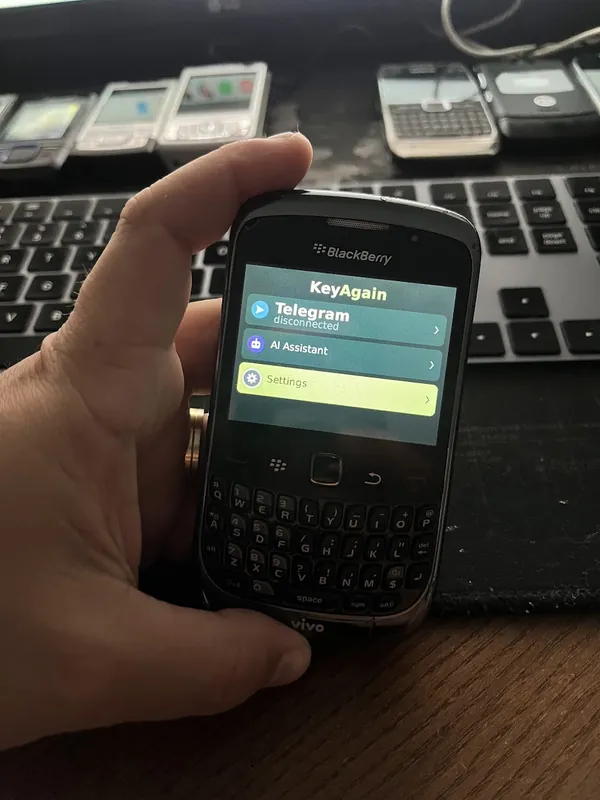
Apps that open their own direct internet connection, instead of going through BlackBerry’s servers, can be an exception. KeyAgain does exactly that: on a BlackBerry Curve, it gets online over mobile data with the operator’s APN, or over Wi-Fi, and Telegram and the AI assistant work again. Results still depend on the phone, its OS version and your network.
Set-up checklist
- Network: the phone needs 2G or 3G where you live, or Wi-Fi. Many BlackBerrys (Curve 8520 and 9300, Bold 9700 and 9900) have Wi-Fi. Check your country.
- APN: in the TCP/IP settings (under Options, then Advanced; the path depends on the OS version), tick “APN settings enabled” and type your operator’s APN.
- Install: open m.keyagain.app in the BlackBerry browser. If the browser can’t reach it, write to us and we’ll help with another way.
- Pair: open KeyAgain, type the 6-digit code into your account. Done.
What about BlackBerry 10?
BlackBerry 10 phones (Z10, Q10, Passport, Classic) don’t run Java ME apps, so KeyAgain’s app doesn’t run on them. The Java-based BlackBerry OS (up to 7.1) is what you need.